Design · Carousel
AI carousel maker
Say the idea. CTR writes the slides in your voice, builds them to a goal and lays them out from a template — a carousel maker that writes, ready for Instagram or as a LinkedIn PDF.
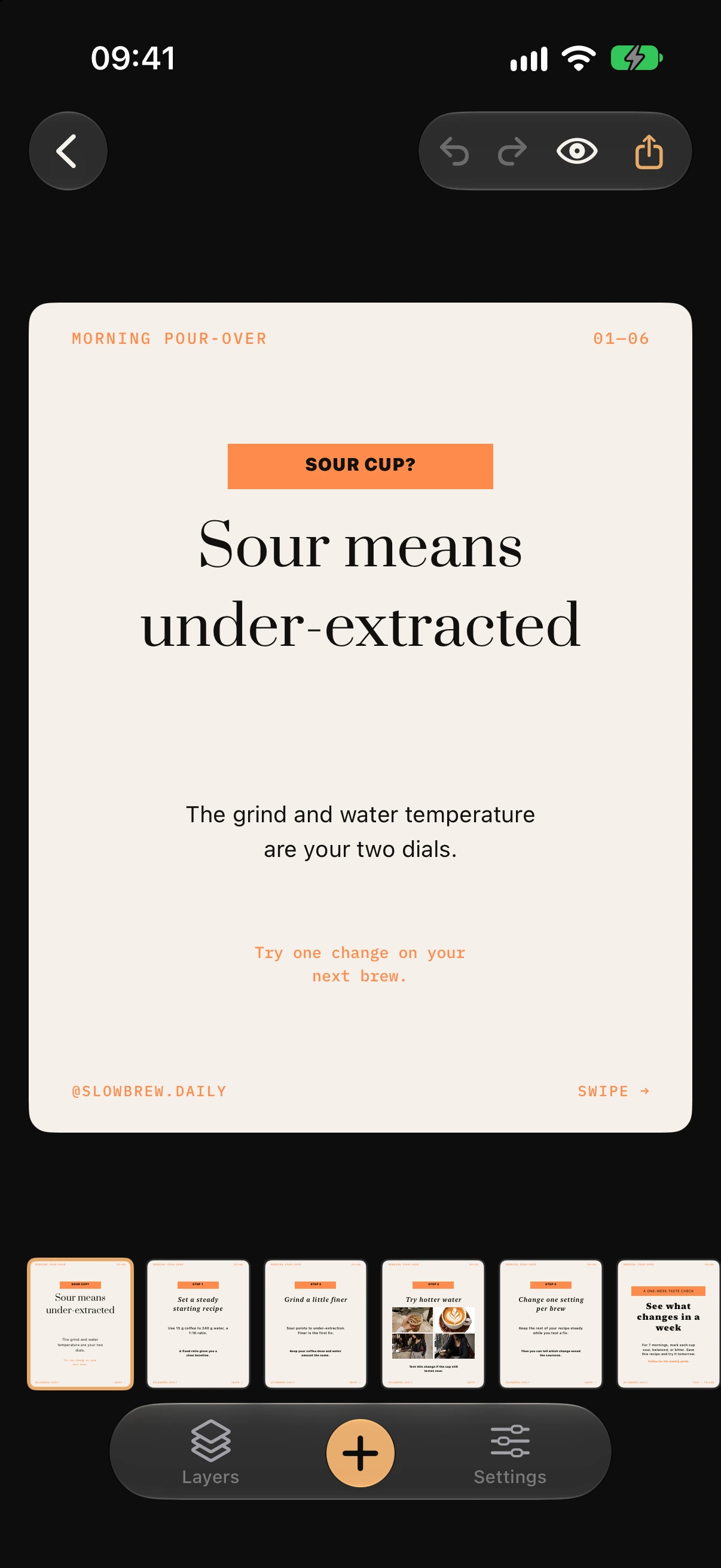
What is a carousel post?
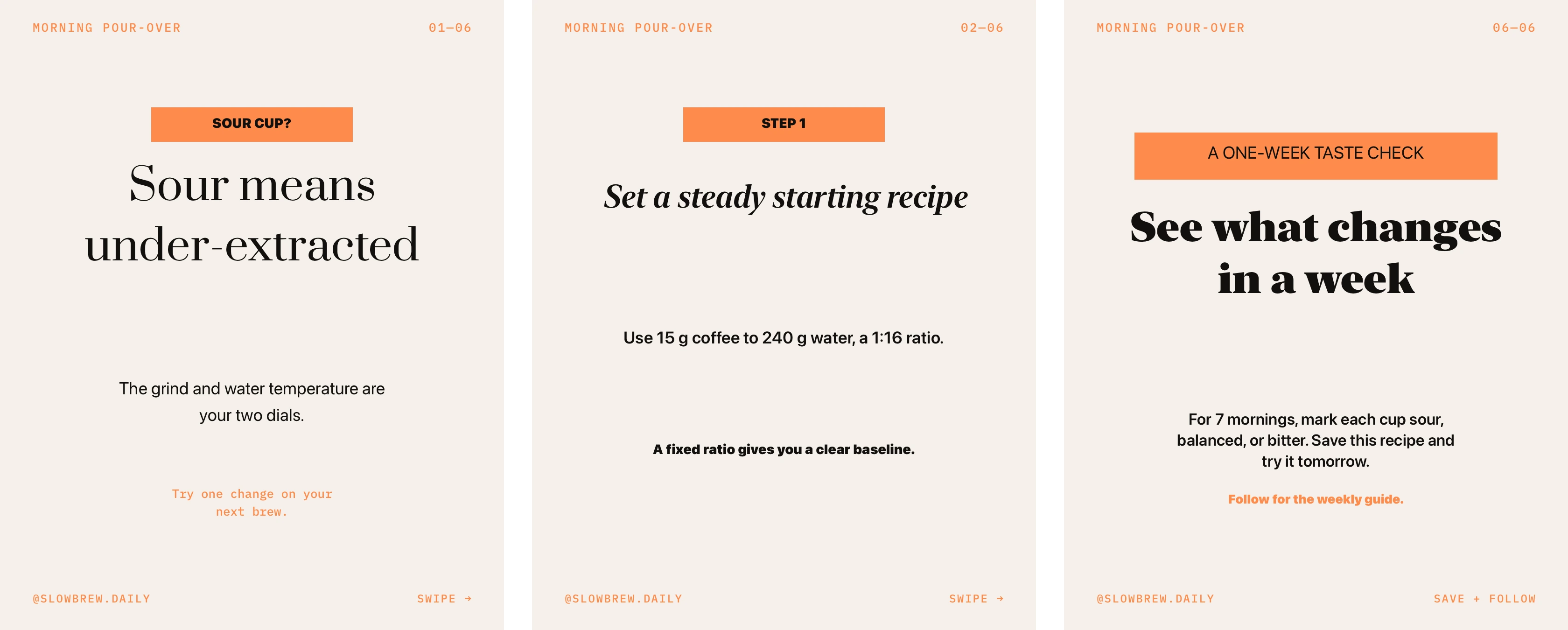
A carousel post is one post made of several slides the reader swipes through — up to ten on Instagram, and a PDF document on LinkedIn. It holds attention longer than a single image because each slide can do one job: the first stops the scroll, the middle ones carry the point, the last one asks for something. That is the structure CTR builds to.
A carousel built to a job, not a template filled in
Every slide has a role.
Hook, body, CTA. The text is written to the role, and the topic's content function — reach, answers, proof, selling — decides the beats.
Written in your voice, from your facts.
Brand Voice Memory learns from one to three of your own posts. Numbers and cases come from your Facts & stories, never invented.
Text that fits the slide.
One to ten slides, 4:5, 1:1 or 9:16. Designer templates restyled to your brand colours — and every slide's text is sized to its slot before you see it. An Instagram carousel maker that never overflows.
- hook
- body
- CTA
How to make a carousel in CTR
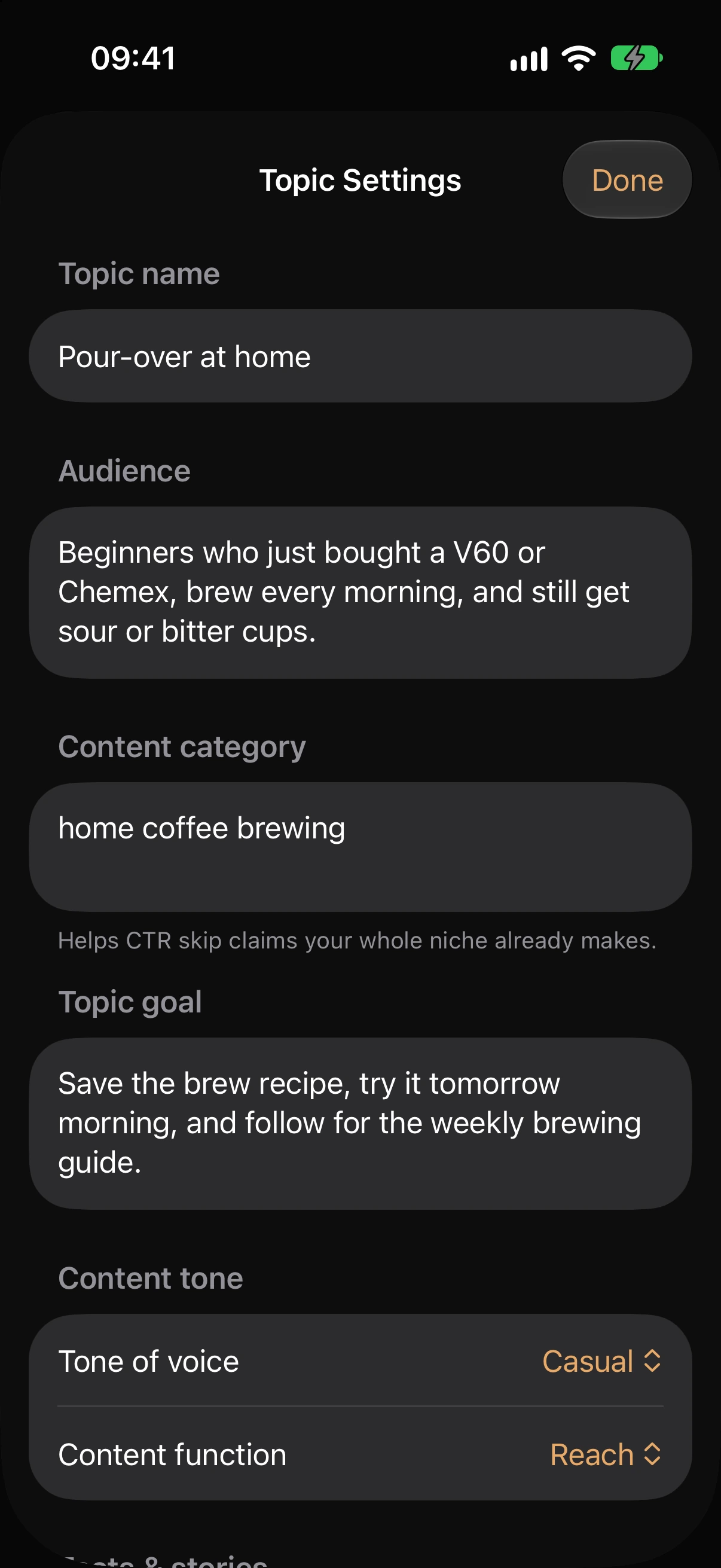
Pick the topic.
Audience, goal and content function are already set on it; you set them once.
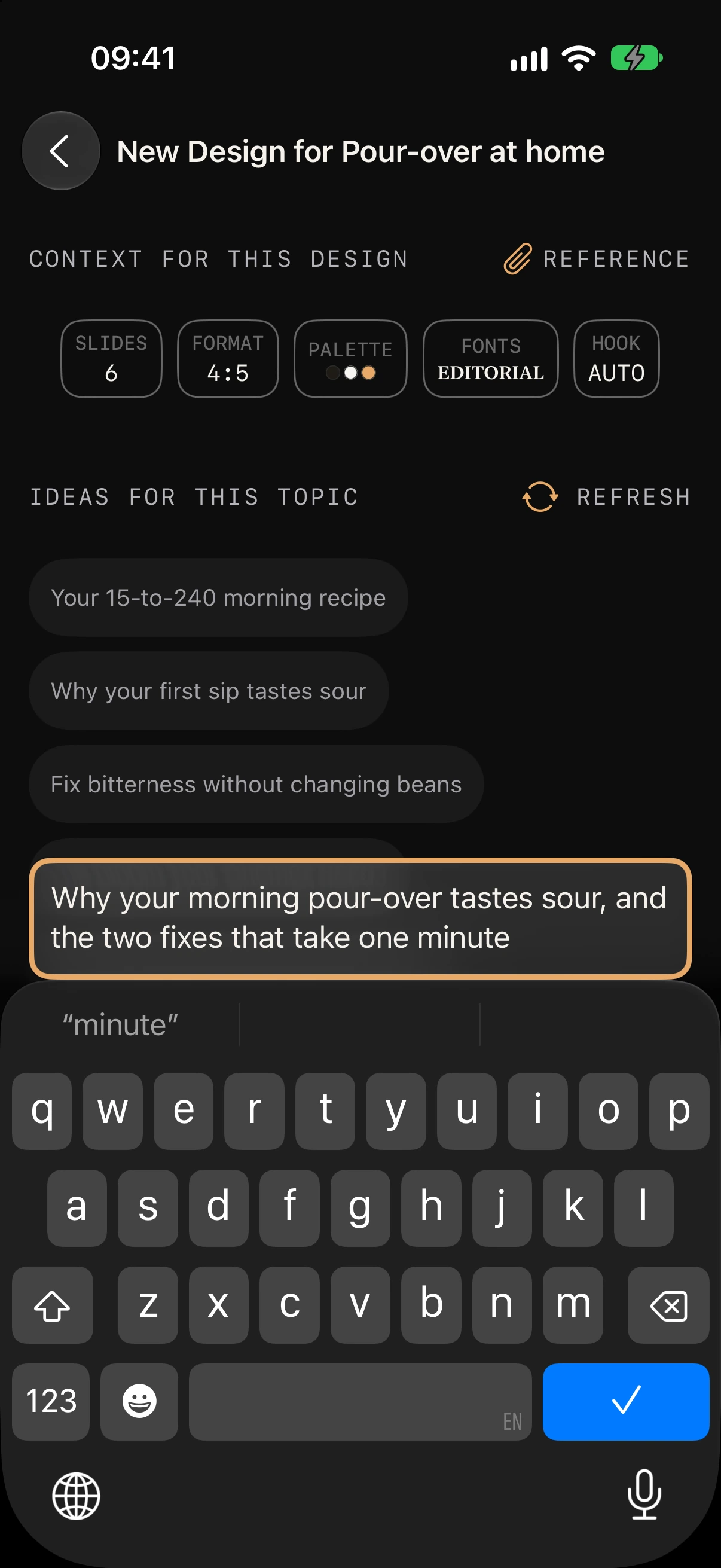
Say or type the idea.
Choose the number of slides and the format. The carousel maker AI does the writing.
Generate, adjust, save.
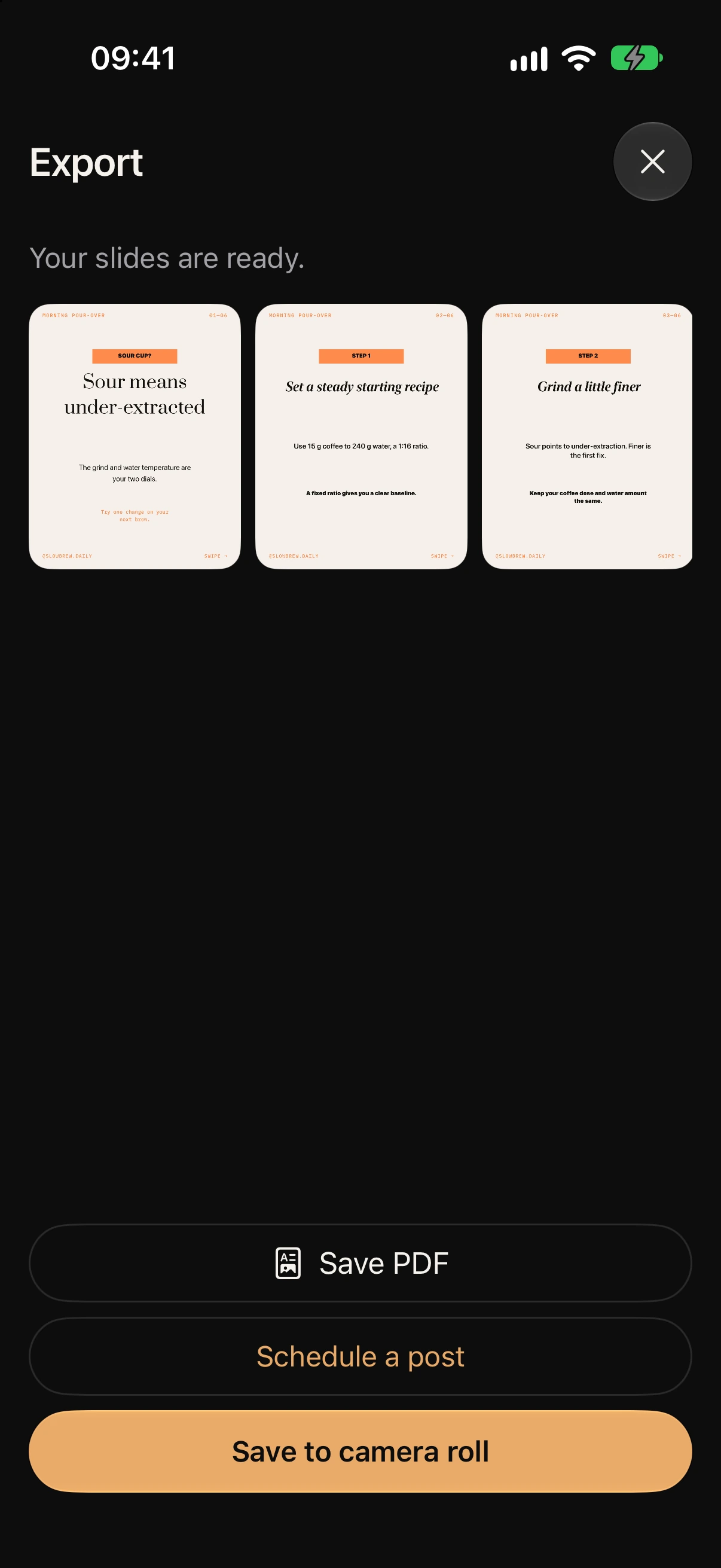
The slides open in the editor. Swap a template, fix a line, then save to Photos as an Instagram carousel post or export a PDF.
Made for creators who post to sell
- The coach who has one client lesson and needs it as a seven-slide carousel by tonight.
- The solopreneur with a Canva template and no time to write the copy that goes in it.
- Anyone whose last carousel took two hours across two apps.
How to make a carousel post people swipe to the end
- One idea per slide. — the slide roles enforce it.
- The cover makes a claim or asks the question your reader is already asking. — the hook role; the topic's search phrase opens it.
- Slide two must earn slide three. — body slides carry one point each; the character budget keeps them short.
- End on the goal. — the Topic goal ("What should the reader do after reading?") sets the last slide: save, follow, write to you, buy. The function shapes the hook and the body; the goal shapes the ask.
- Keep the facts yours. — Facts & stories, not invented statistics.
LinkedIn carousel post — the same slides as a PDF
LinkedIn carousels are document posts. CTR's Save PDF exports the whole set, and the preview toggle shows how it reads in LinkedIn's chrome before you post. To post a carousel on LinkedIn: create a post, attach the PDF as a document, add the caption — the one CTR wrote on the same topic. If you came here looking for a LinkedIn carousel generator, this is it — the same slides, written to the same roles, with a PDF at the end.
Read more: Instagram caption generator
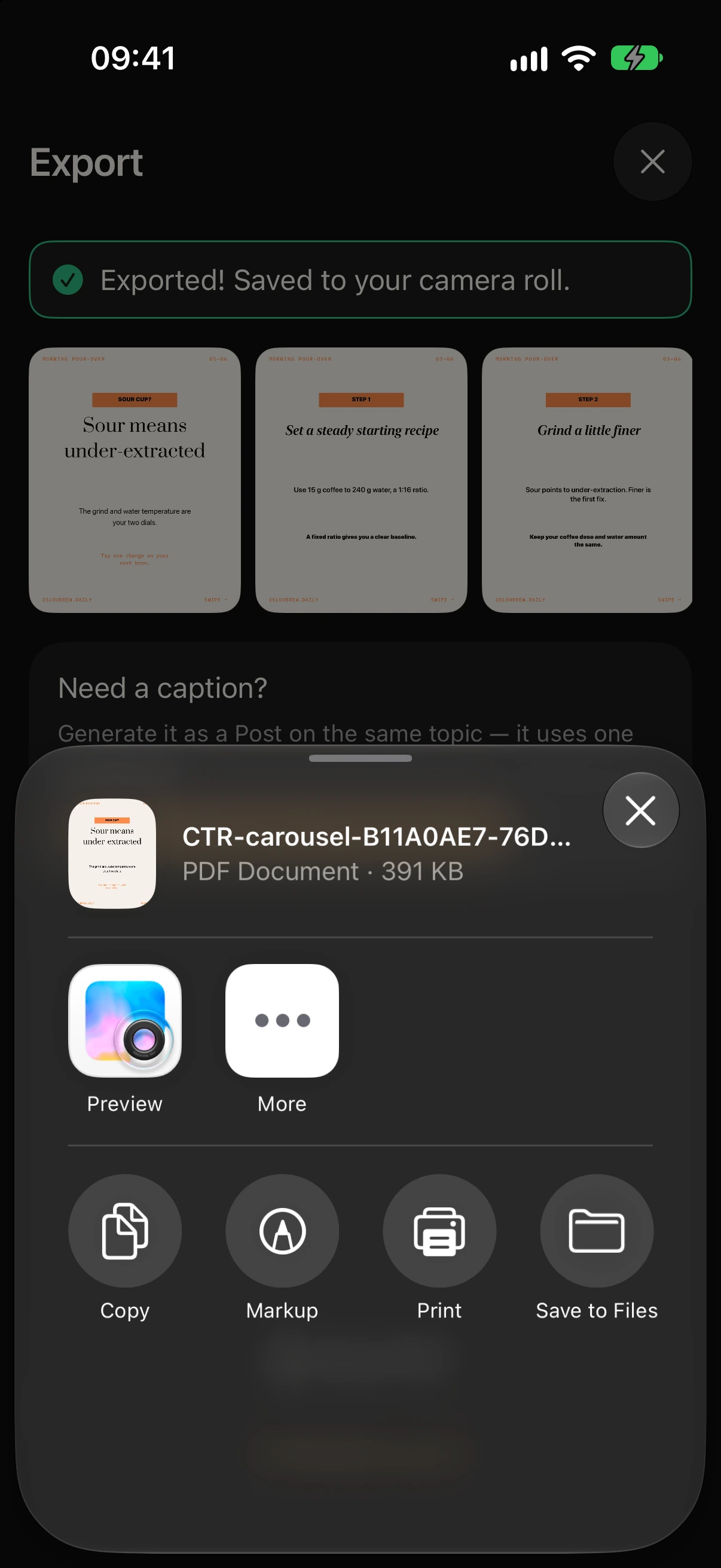
Carousel post examples
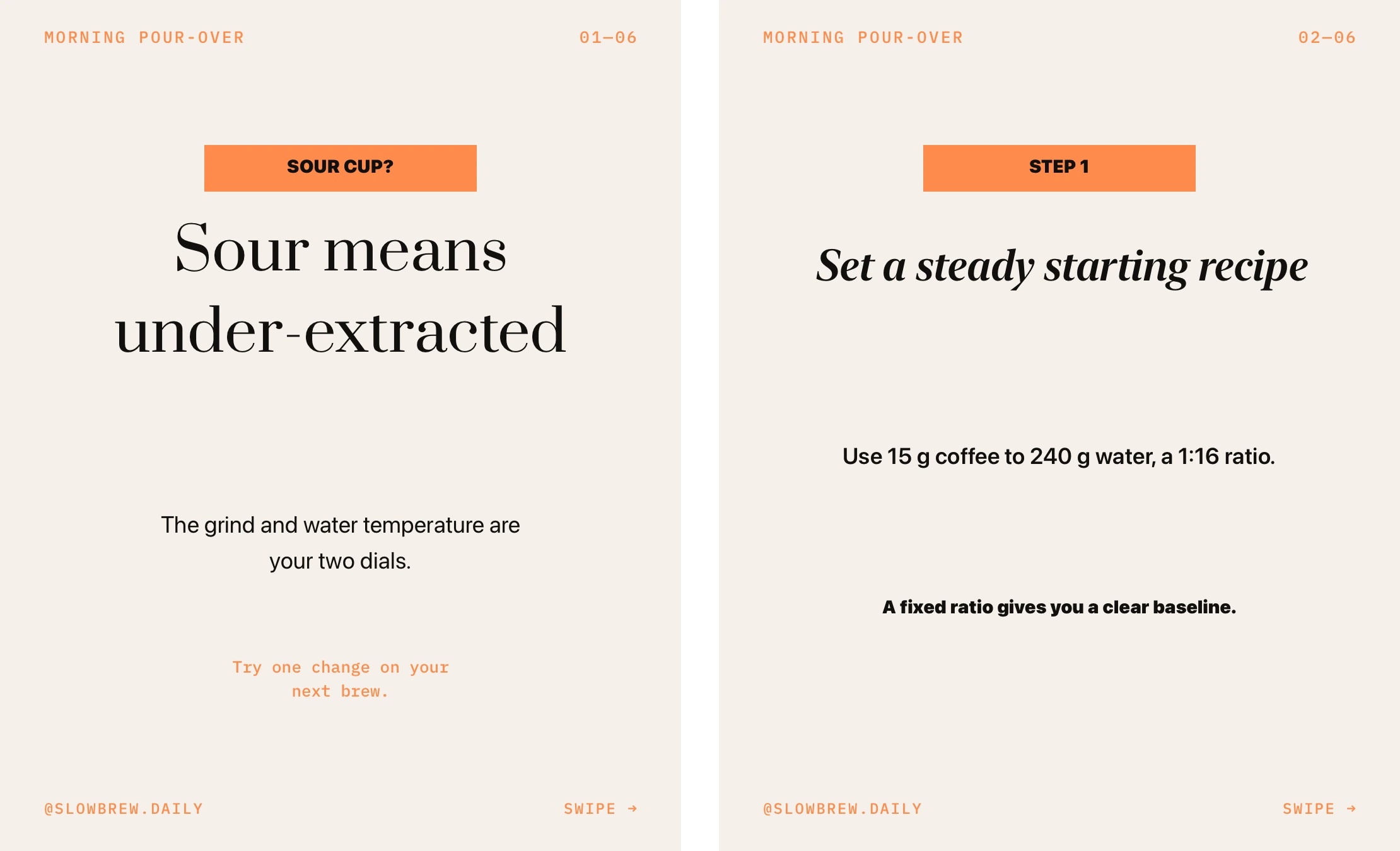
Reach — a listicle cover that asks the question 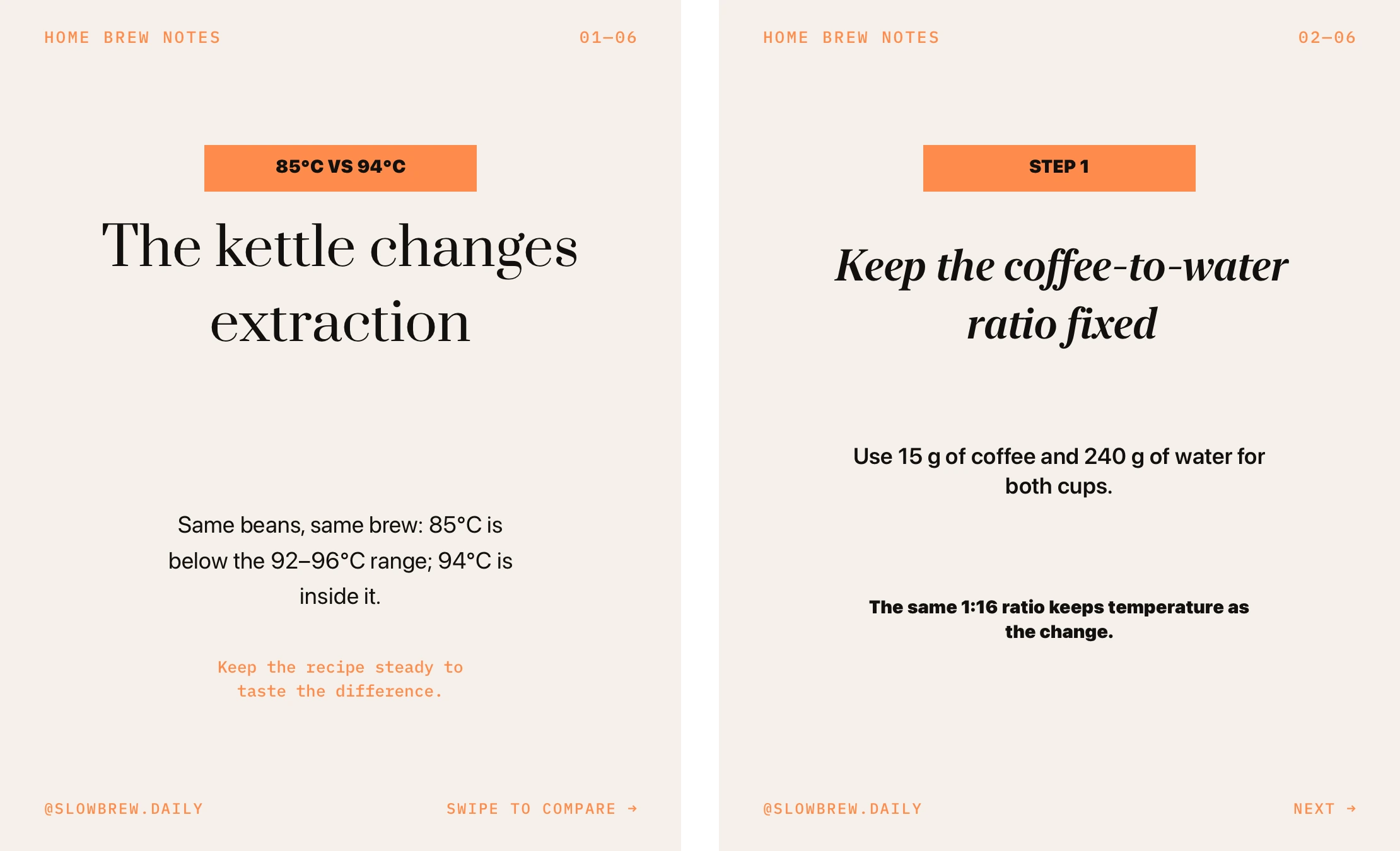
Cases & proof — a before / after in three slides 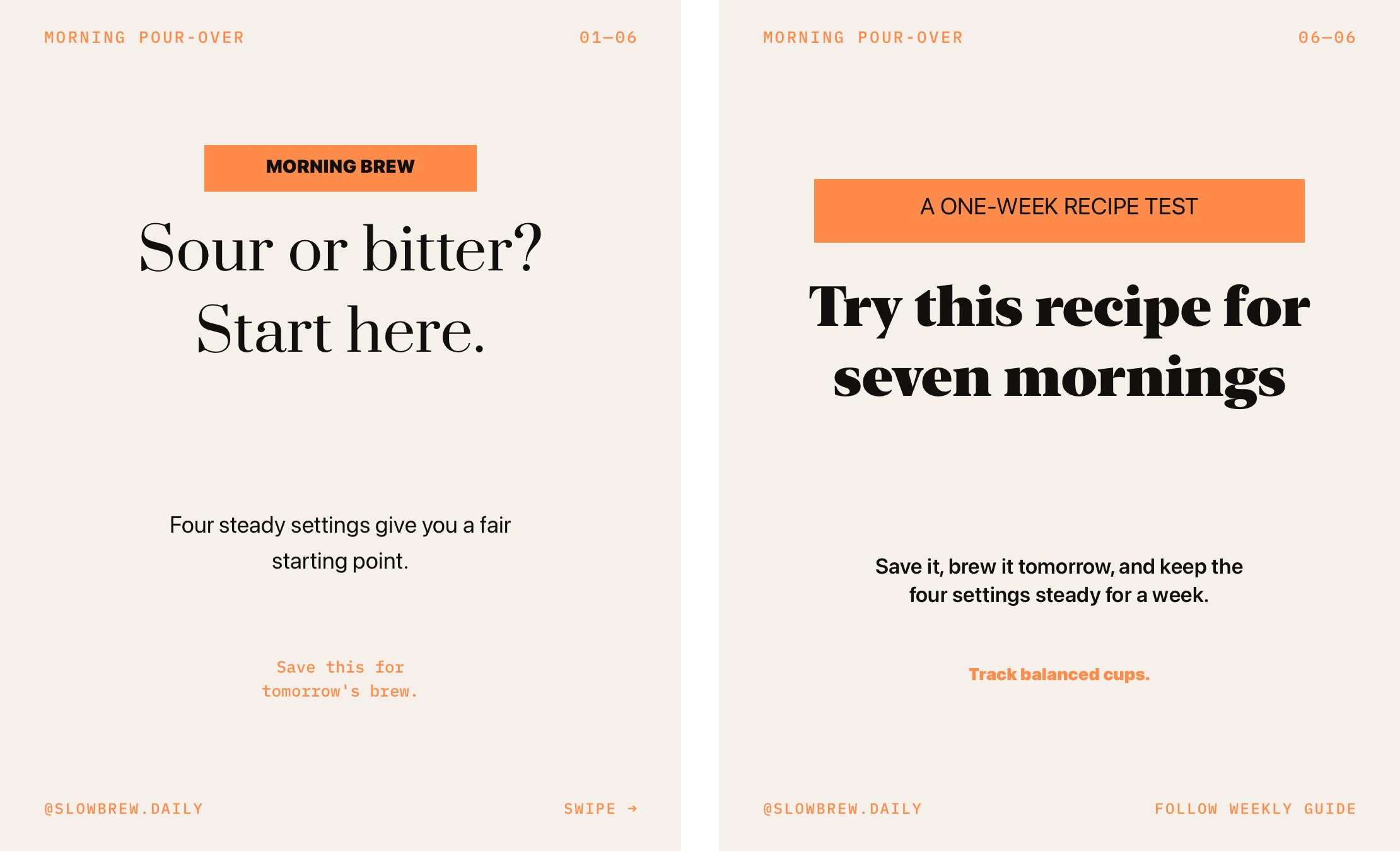
Selling — the offer on the last slide, the reason on the ones before
What CTR will not do for you
- It does not post to Instagram or LinkedIn. You save and publish; the calendar reminds you.
- It does not generate hashtags. The only tag it ever adds is an optional #ctrapp on export.
- It does not invent a statistic or a quote you did not give it.
- It does not make video carousels — a video layer can sit on a slide, that is all.
Questions
Before you install
How many slides can a carousel have?
One to ten. Some templates fix the count; the format pills show what each one supports.
What size should an Instagram carousel be?
4:5 or 1:1 for the feed; 9:16 makes a story. Every slide in a set shares one format.
Can I use my own brand colours and fonts?
Brand colours yes — a ground colour and up to five accents, applied to the whole set. Fonts come from the app's font pairs.
Is this an AI carousel generator or a design tool?
Both halves in one: the text is written to each slide's role, and the layout comes from a template restyled to your brand.
Does it work for LinkedIn?
Yes — Save PDF exports the set as a LinkedIn document post, and the preview shows LinkedIn's chrome.
Get started
Your next post, in your voice.
7-day free trial. Cancel any time in Settings › Apple ID › Subscriptions.